Integrate distrijs in your React project
Get started with Distri in your React application using @distri/react. This guide shows you how to set up the provider, create agents, and build chat interfaces.
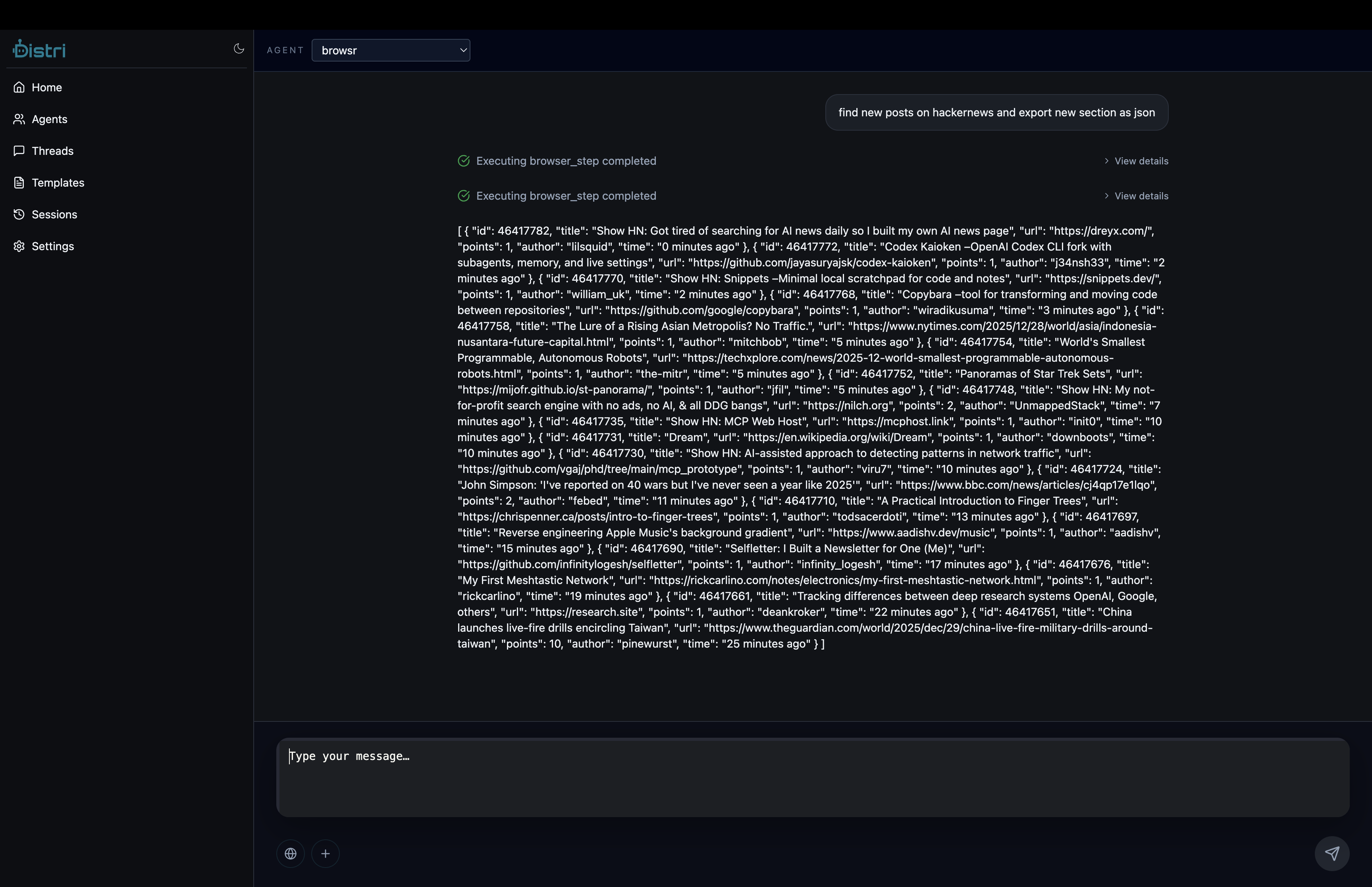
Installation
npm install @distri/core @distri/react
# or
pnpm add @distri/core @distri/react
# or
yarn add @distri/core @distri/react
Basic Setup
1. Wrap Your App with DistriProvider
import { DistriProvider } from "@distri/react";
import "@distri/react/theme.css";
import "@distri/react/globals.css";

function App() {
  const config = {
    baseUrl: "http://localhost:8787/api/v1",
    // Optional: API key for authentication
    apiKey: process.env.REACT_APP_DISTRI_API_KEY,
    // Optional: Enable debug logging
    debug: process.env.NODE_ENV === "development",
  };

  return (
    <DistriProvider config={config}>
      <YourComponents />
    </DistriProvider>
  );
}
2. Create a Chat Interface
import { useState } from "react";
import { Chat, useAgent } from "@distri/react";

function ChatInterface() {
  const { agent } = useAgent({ agentIdOrDef: "my_agent" });
  const [threadId] = useState(() => crypto.randomUUID());

  if (!agent) {
    return <div>Loading agent...</div>;
  }

  return (
    <div className="h-screen">
      <Chat agent={agent} threadId={threadId} />
    </div>
  );
}
Complete Example
Here's a complete example with external tools:
import { useState, useRef, useEffect } from "react";
import { DistriProvider, Chat, useAgent } from "@distri/react";
import type { DistriFnTool } from "@distri/core";
import "@distri/react/theme.css";
import "@distri/react/globals.css";

// Define your tools
const createMapTools = (mapRef: any): DistriFnTool[] => [
  {
    name: "set_map_center",
    description: "Center the map",
    type: "function",
    parameters: {
      type: "object",
      properties: {
        latitude: { type: "number" },
        longitude: { type: "number" },
        zoom: { type: "number", minimum: 1, maximum: 20, default: 13 },
      },
      required: ["latitude", "longitude"],
    },
    handler: async ({ latitude, longitude, zoom }) => {
      await mapRef.setMapCenter({ latitude, longitude, zoom });
      return `Map centered at ${latitude}, ${longitude}`;
    },
  },
  // Add more tools...
];

function App() {
  const config = {
    baseUrl:
      import.meta.env.VITE_DISTRI_API_URL || "http://localhost:8787/api/v1",
  };

  return (
    <DistriProvider config={config}>
      <MapsContent />
    </DistriProvider>
  );
}

function MapsContent() {
  const { agent } = useAgent({ agentIdOrDef: "maps_agent" });
  const [threadId] = useState(() => crypto.randomUUID());
  const mapRef = useRef(null);
  const [tools, setTools] = useState<DistriFnTool[]>([]);

  useEffect(() => {
    if (mapRef.current) {
      setTools(createMapTools(mapRef.current));
    }
  }, []);

  if (!agent) return <div>Loading...</div>;

  return (
    <div className="flex h-screen">
      <div className="flex-1">
        <GoogleMapsManager ref={mapRef} />
      </div>
      <div className="w-96 border-l">
        <Chat agent={agent} threadId={threadId} externalTools={tools} />
      </div>
    </div>
  );
}
Using Hooks
useAgent
Get an agent instance:
import { useAgent } from "@distri/react";

function MyComponent() {
  const { agent, isLoading, error } = useAgent({
    agentIdOrDef: "my_agent",
  });

  if (isLoading) return <div>Loading...</div>;
  if (error) return <div>Error: {error.message}</div>;
  if (!agent) return null;

  // Use agent...
}
useChat
Access chat functionality:
import { useChat } from "@distri/react";

function MyComponent() {
  const { agent } = useAgent({ agentIdOrDef: "my_agent" });
  const { messages, sendMessage, isLoading } = useChat({
    agent,
    threadId: "thread-123",
  });

  return (
    <div>
      {messages.map((msg) => (
        <div key={msg.id}>{msg.content}</div>
      ))}
      <button onClick={() => sendMessage("Hello!")} disabled={isLoading}>
        Send
      </button>
    </div>
  );
}
Theming
Customize the appearance using CSS variables:
/* your-app.css */
@import "@distri/react/globals.css";

:root {
  --primary: 220 90% 50%; /* Custom primary color */
}

.dark {
  --primary: 220 80% 60%; /* Dark mode primary */
}
See Theming for complete theming options.
Environment Variables
For different environments:
# .env.development
VITE_DISTRI_API_URL=http://localhost:8787/api/v1

# .env.production
VITE_DISTRI_API_URL=https://api.distri.dev/api/v1
VITE_DISTRI_API_KEY=your-api-key
Error Handling
Add error boundaries for better error handling:
import { ErrorBoundary } from "react-error-boundary";

function App() {
  return (
    <ErrorBoundary fallback={<div>Something went wrong</div>}>
      <DistriProvider config={config}>
        <YourComponents />
      </DistriProvider>
    </ErrorBoundary>
  );
}
Next Steps
- Learn about Setting Sessions
- Explore Client Libraries
- Check out Theming
- See In-Product Tools