Secrets
Secrets store sensitive configuration values like API keys, database credentials, and service tokens. They're encrypted at rest and injected into your agents at runtime.
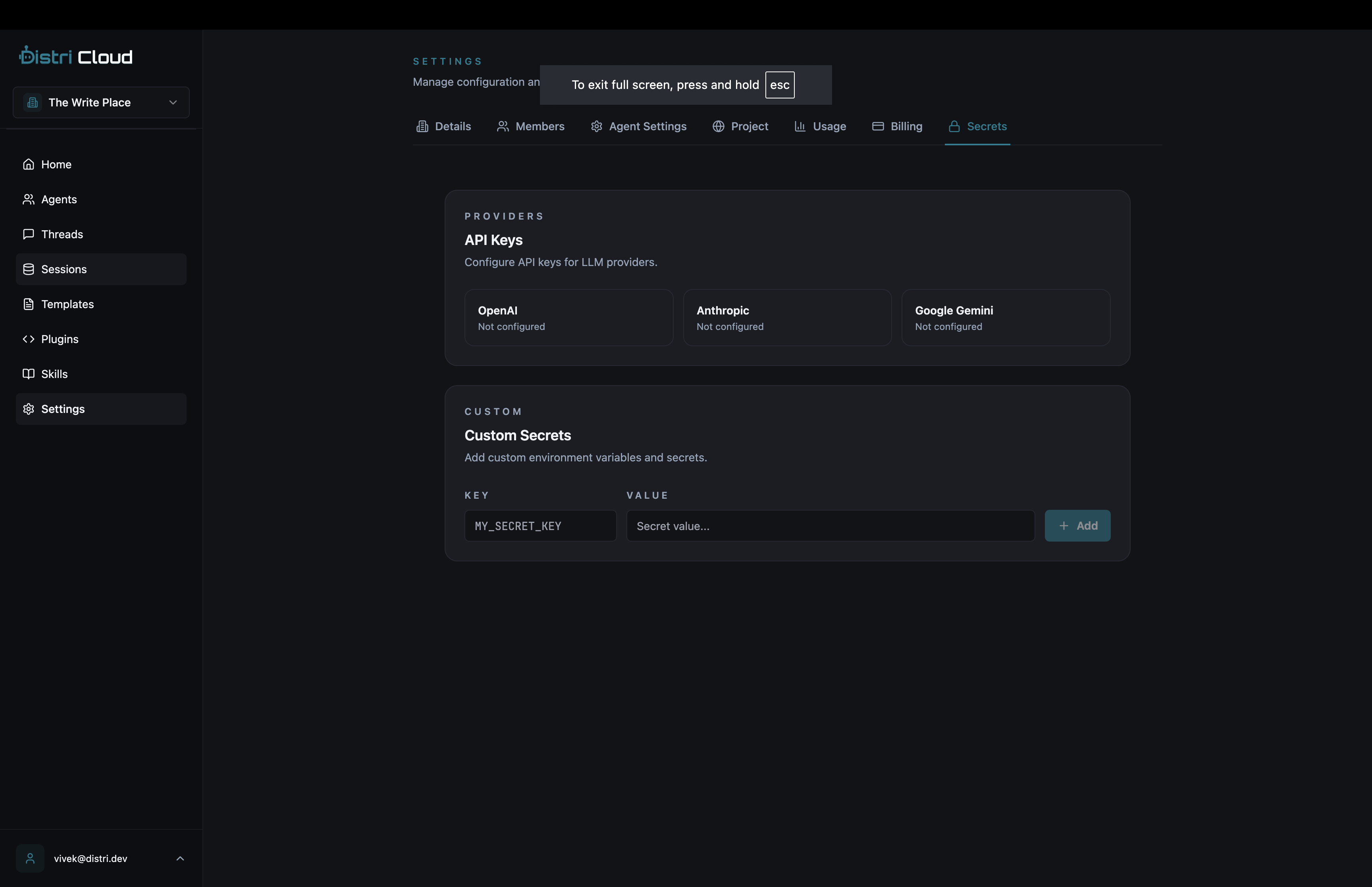
Managing Secrets
Go to app.distri.dev/settings/secrets to manage your secrets.
Adding a Secret
- Click Add Secret
- Enter a Key (e.g.,
STRIPE_API_KEY) - Enter the Value
- Click Save
Updating a Secret
- Find the secret in the list
- Click Edit
- Enter the new value
- Click Save
Deleting a Secret
- Find the secret in the list
- Click Delete
- Confirm deletion
warning
Deleting a secret may break agents that depend on it.
Using Secrets in Agents
Secrets are automatically available as environment variables in your agent's execution context.
In Tool Handlers
// Tools.tsx
export const getTools = () => [
  {
    name: 'send_email',
    description: 'Send an email',
    handler: async ({ to, subject, body }) => {
      // SENDGRID_API_KEY is automatically available
      const response = await fetch('https://api.sendgrid.com/v3/mail/send', {
        method: 'POST',
        headers: {
          'Authorization': `Bearer ${process.env.SENDGRID_API_KEY}`,
          'Content-Type': 'application/json'
        },
        body: JSON.stringify({ to, subject, body })
      });
      return { sent: response.ok };
    }
  }
];
In Agent Definitions
Reference secrets in your agent configuration using template syntax:
---
name = "payment_agent"
description = "Process payments"

[model_settings]
model = "gpt-4.1-mini"

[secrets]
required = ["STRIPE_API_KEY", "STRIPE_WEBHOOK_SECRET"]
---
Common Secrets
| Key | Description |
|---|---|
OPENAI_API_KEY | OpenAI API access |
ANTHROPIC_API_KEY | Anthropic Claude access |
STRIPE_API_KEY | Payment processing |
SENDGRID_API_KEY | Email delivery |
DATABASE_URL | Database connection string |
SLACK_BOT_TOKEN | Slack integration |
Secret Scoping
Secrets are scoped to your account and available to all your agents. For agent-specific configuration, consider using:
- Session data, Per-conversation state
- Agent attributes, Static per-agent config
- Tool parameters, Runtime values passed by users
Security
- Encrypted at rest, All secrets are encrypted using AES-256
- Never logged, Secret values are redacted from logs
- Masked in UI, Values are hidden by default in the dashboard
- Audit trail, All changes are logged
CLI Management
You can also manage secrets via the CLI:
# Set a secret
distri secrets set STRIPE_API_KEY "sk_live_..."

# List secrets (keys only)
distri secrets list

# Delete a secret
distri secrets delete STRIPE_API_KEY
Best Practices
- Use descriptive names,
SENDGRID_API_KEYnotKEY_1 - Document required secrets, List them in your agent's README
- Rotate periodically, Update credentials regularly
- Use separate values per environment, Different keys for dev/staging/prod
- Minimize scope, Only store what's needed