API Keys
API keys authenticate server-to-server requests to Distri Cloud. Use them in your backend services to invoke agents programmatically.
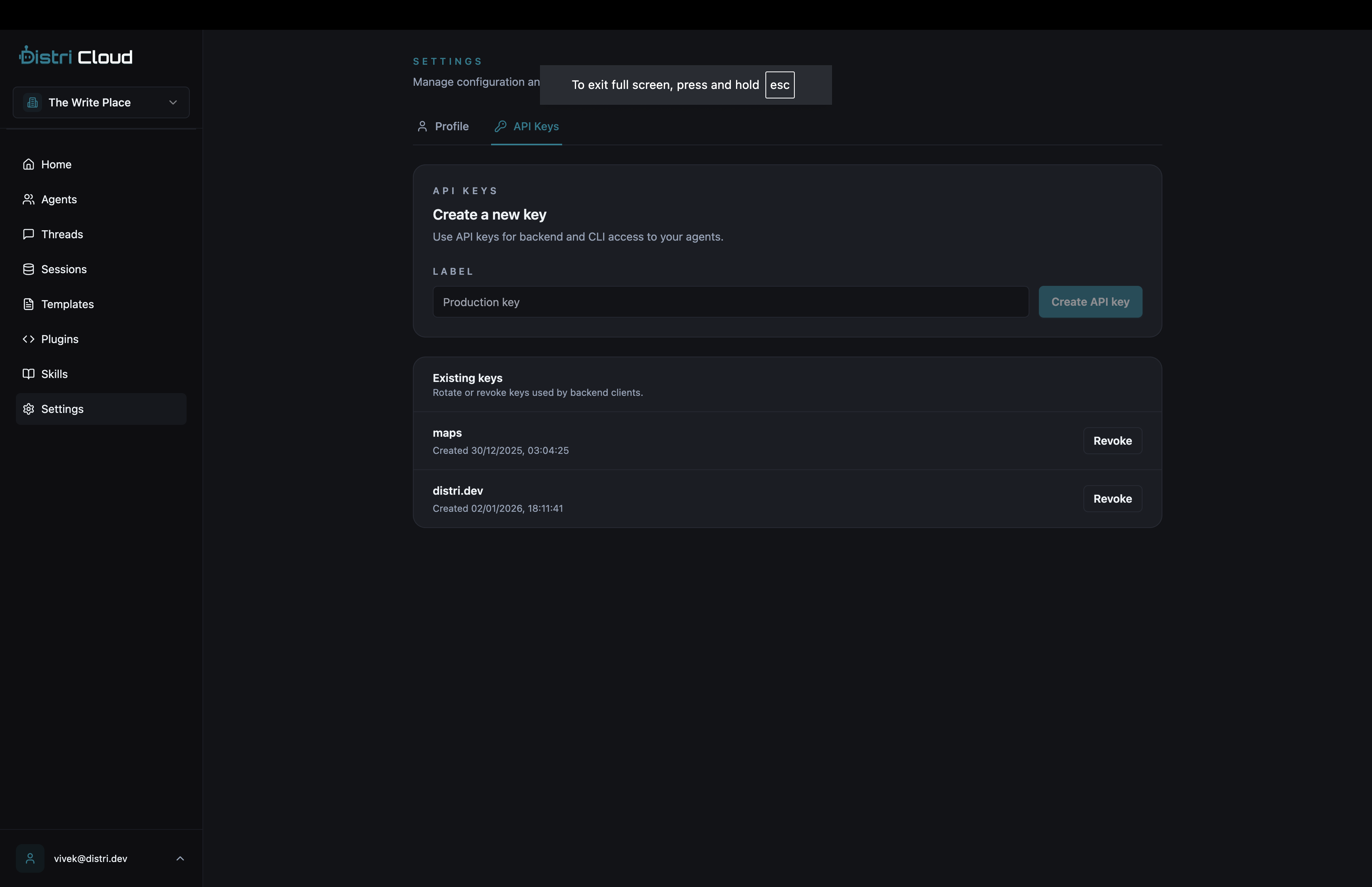
Creating an API Key
- Go to app.distri.dev/settings/api-keys
- Click Create API Key
- Enter a descriptive label (e.g., "Production Backend", "Staging")
- Click Create
- Copy the key immediately, it won't be shown again
Store securely
API keys grant full access to your account. Never commit them to version control or expose them in client-side code.
Using API Keys
Include the API key in the Authorization header:
curl -X POST https://api.distri.dev/v1/agents/my_agent \
  -H "Authorization: Bearer YOUR_API_KEY" \
  -H "Content-Type: application/json" \
  -d '{
    "jsonrpc": "2.0",
    "id": "1",
    "method": "message/send",
    "params": {
      "message": {
        "kind": "message",
        "role": "user",
        "parts": [{"kind": "text", "text": "Hello!"}]
      }
    }
  }'
In Node.js
const response = await fetch('https://api.distri.dev/v1/agents/my_agent', {
  method: 'POST',
  headers: {
    'Authorization': `Bearer ${process.env.DISTRI_API_KEY}`,
    'Content-Type': 'application/json'
  },
  body: JSON.stringify({
    jsonrpc: '2.0',
    id: '1',
    method: 'message/send',
    params: {
      message: {
        kind: 'message',
        role: 'user',
        parts: [{ kind: 'text', text: 'Hello!' }]
      }
    }
  })
});
Managing API Keys
View Keys
The API keys page shows:
- Label, Your description
- Created, When the key was created
- Last used, Most recent API call (if any)
Revoke a Key
- Find the key in the list
- Click the Revoke button
- Confirm revocation
Revoked keys stop working immediately. Any services using that key will receive 401 Unauthorized errors.
API Keys vs Client IDs
| API Key | Client ID | |
|---|---|---|
| Use case | Backend/server | Frontend/browser |
| Access level | Full account access | Read-only + invoke |
| Security | Keep secret | Can be public |
| CORS | N/A | Configurable origins |
Use API Keys for:
- Backend services
- Cron jobs
- Server-side integrations
Use Client IDs for:
- React/frontend apps
- Public-facing chat widgets
- Browser-based integrations
See Project Settings for Client ID setup.
Best Practices
- Use descriptive labels, Name keys after their purpose (e.g., "prod-webhook", "staging-backend")
- Rotate regularly, Create new keys and revoke old ones periodically
- Separate environments, Use different keys for development, staging, and production
- Monitor usage, Check "last used" to identify unused keys
- Revoke unused keys, Remove keys that are no longer needed
Rate Limits
API keys are subject to rate limits based on your subscription tier:
| Tier | Requests/min | Requests/day |
|---|---|---|
| Free | 60 | 1,000 |
| Professional | 300 | 10,000 |
| Business | 1,000 | 100,000 |
Contact us for higher limits.