Usage Tracking
Distri Cloud tracks token and API call consumption per workspace. Monitor your usage from the dashboard and set limits to control costs.
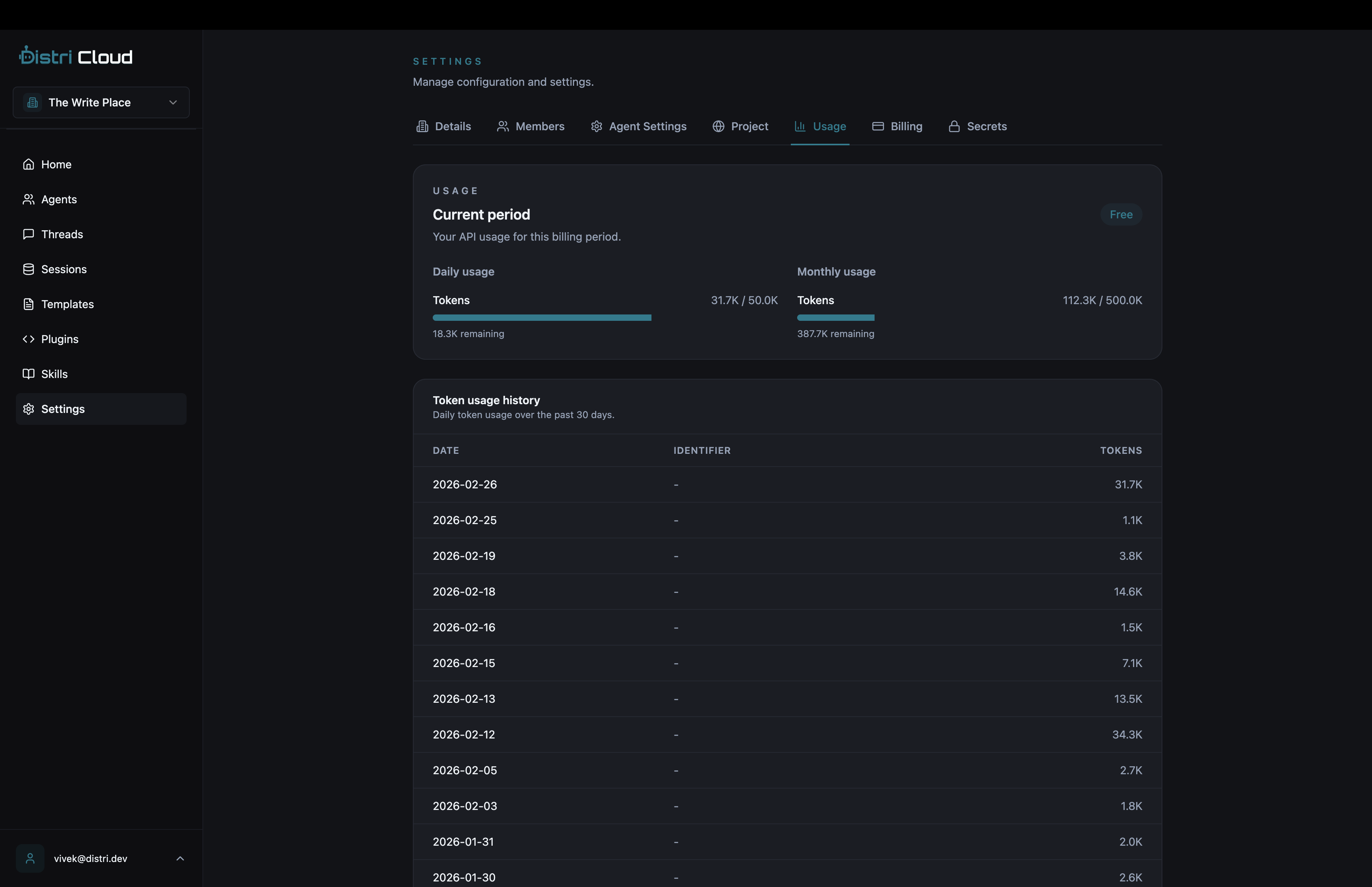
Viewing Usage
Navigate to Settings → Usage in your Distri dashboard to view:
- Daily token consumption — Tokens used today
- Monthly token consumption — Tokens used this billing period
- API call counts — Number of agent invocations
Tier Limits
Usage limits depend on your subscription tier:
| Tier | Daily Tokens | Monthly Tokens | Daily Calls | Monthly Calls |
|---|---|---|---|---|
| Free | 50,000 | 500,000 | 100 | 1,000 |
| Pro | 5,000,000 | 50,000,000 | 10,000 | 100,000 |
| Enterprise | Unlimited | Unlimited | Unlimited | Unlimited |
When limits are exceeded, the API returns a 429 Too Many Requests response. Upgrade your plan from Settings → Billing to increase limits.
Identifier-Scoped Tracking
Track usage per end-user or tenant by passing an identifier_id when issuing tokens. This lets you monitor and limit individual user consumption:
const response = await fetch('https://api.distri.dev/v1/token', {
  method: 'POST',
  headers: {
    'Authorization': `Bearer ${process.env.DISTRI_API_KEY}`,
    'X-Workspace-Id': process.env.DISTRI_WORKSPACE_ID,
    'Content-Type': 'application/json',
  },
  body: JSON.stringify({
    identifier_id: 'user-123',
    limits: {
      daily_tokens: 10000,
      monthly_tokens: 100000,
    },
  }),
});

const { access_token, refresh_token } = await response.json();
With identifier_id set, you can filter usage history to see consumption per user:
GET https://api.distri.dev/v1/usage/history?identifier_id=user-123
Usage API Endpoints
Get Current Usage
GET https://api.distri.dev/v1/usage
Authorization: Bearer <access_token>
X-Workspace-Id: <workspace_id>
Returns current daily and monthly token/call counts for the workspace.
Get Usage History
GET https://api.distri.dev/v1/usage/history
Authorization: Bearer <access_token>
X-Workspace-Id: <workspace_id>
Returns daily aggregates for the past 30 days. Supports identifier_id query parameter for per-user filtering.